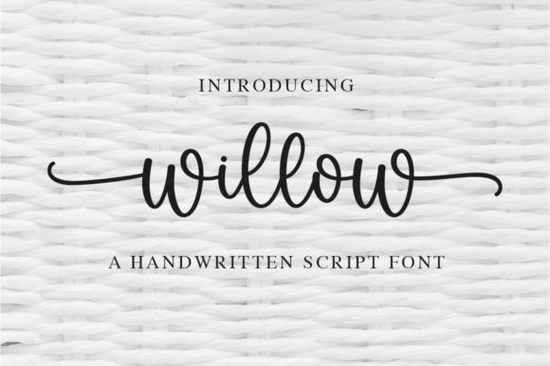
If you’ve been searching for a handwritten font that feels personal, graceful, and just a little bit romantic, Willow Font might be exactly what your next project needs. It’s the kind of typeface that doesn’t shout for attention it whispers elegance. Whether you’re designing wedding invitations, branding a small boutique, or creating custom merch for print-on-demand, Willow adds that human touch without looking overworked.
What makes it especially handy is how well-balanced the letterforms are. You don’t need to tweak spacing or wrestle with alignment the characters flow together naturally. And because it’s PUA encoded, you get full access to all the swashes, alternates, and ligatures right inside your design software. No extra plugins or glyph-hunting required.
Who should use Willow Font?
This font works beautifully for anyone who wants their designs to feel warm and approachable. Think:
- Wedding stationers menus, place cards, save-the-dates
- Etsy sellers mugs, tote bags, stickers with handwritten quotes
- Small business owners logos, packaging, social media graphics
- Crafters vinyl cutting, embroidery digitizing, scrapbooking
It pairs nicely with clean sans-serifs for contrast, or you can layer it with other script fonts like Chunky or Hello when you want to mix weights and styles. Even if you’re not a pro designer, Willow’s intuitive rhythm makes it forgiving and fun to work with.
How do I install and use the swashes?
Since Willow is PUA (Private Use Area) encoded, you can access all its decorative glyphs through any program that supports OpenType features think Adobe Illustrator, Photoshop, Canva Pro, Affinity, or even Silhouette Studio. Just open the Glyphs panel, and you’ll see all the swash variants, end caps, and alternate letters ready to drop in.
Pro tip: Try using the swashes at the beginning or end of words to give your text a natural, calligraphic finish. Don’t overdo it one or two per line is usually enough to keep things elegant, not overwhelming.
What kinds of projects does it suit best?
Willow shines in contexts where softness and personality matter. Here are a few real-world examples:
- Branding for floral shops, bakeries, or wellness studios the gentle curves feel inviting and calm.
- Quote graphics for Instagram or Pinterest it reads beautifully even at smaller sizes.
- Custom apparel looks great on sweatshirts, baby onesies, or tote bags with short phrases.
- Printables like planners, journals, or wall art adds warmth without being distracting.
If you’re comparing options, you might also like the playful bounce of Hey Baby or the coastal vibe of Palm Bay Social. But if you want something timeless and quietly refined, Willow holds its own.
Is it compatible with commercial use?
Yes when you download Willow Font from Creative Fabrica, you get a commercial license. That means you can use it to create products you sell whether it’s digital downloads, physical goods, or client work. Always double-check the license terms after purchase, but generally, you’re covered for most small business uses.
Any tips for pairing it with other fonts?
Avoid pairing Willow with other highly decorative scripts it can get visually noisy. Instead, try these combos:
- With a minimalist sans-serif like Montserrat or Lato lets Willow stand out as the accent.
- Over soft watercolor backgrounds enhances the delicate, handmade feel.
- Beside simple line icons or botanical illustrations keeps the focus on texture and tone.
You can also adjust tracking (letter spacing) slightly if you want a more airy look, or tighten it up for a cozier, handwritten vibe.
Where can I find similar fonts?
If you like Willow’s style but want to explore alternatives, check out these handpicked collections:
- More like Willow similar delicate scripts with swashes
- Chunky for when you want bold contrast
- Hello friendly and bouncy, great for kids’ brands
- Hey Baby playful and flirty, perfect for trendy quotes
- Palm Bay Social beachy, relaxed, ideal for summer themes
Each has its own personality, so browse a few and see which one clicks with your current project mood.
Ready to try it? Here’s your quick checklist:
- ✅ Download Willow Font and install it on your system or design app.
- ✅ Open the Glyphs panel to explore swashes and alternates.
- ✅ Test it with short phrases first names, quotes, or taglines.
- ✅ Pair it with a clean, neutral font to let it shine.
- ✅ Use it in a real project within 48 hours momentum matters!
Sometimes the simplest tools make the biggest difference. Willow isn’t flashy, but it’s reliable, beautiful, and full of quiet charm the kind of font you’ll come back to again and again.
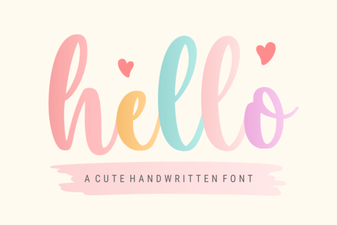 Hello Fonts: Design Resources & Project Ideas
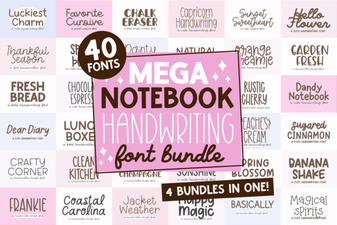 Creative Handwriting Fonts for Personal & Project Design
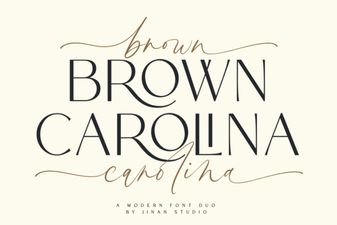 Creative Designs with Brown Carolina Duo Font
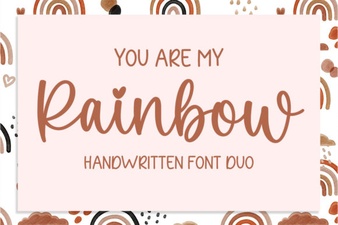 You Are My Rainbow Font Generator & Design Tips
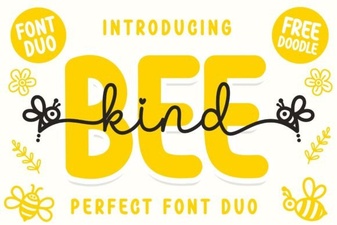 Bee Kind Duo Font for Beautiful Craft & Design Projects
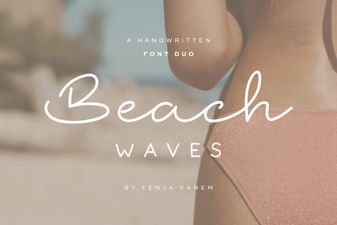 Design Your Best Beach-Themed Projects with Duo Font