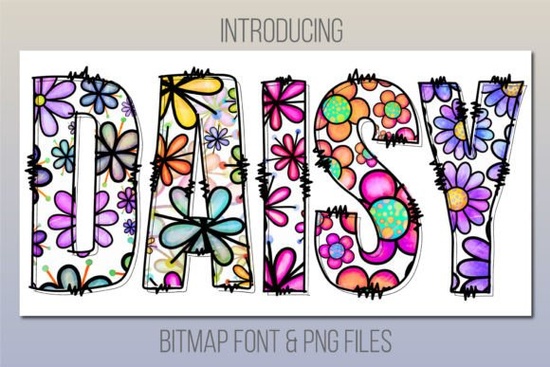
If you’ve been searching for a cheerful, whimsical typeface that adds instant charm to invitations, greeting cards, or kids’ party decor, the Daisy Font might be exactly what you need. It’s not your average font it’s a color font, meaning each letter comes pre-filled with playful daisy patterns and soft pastel tones. Think of it like clip art built into every character. You don’t need to layer or color anything manually just type, and you’re done.
This one works especially well if you’re designing for spring events, baby showers, classroom materials, or even POD products like tote bags and mugs where personality matters more than polish. And if you’ve ever used Spiderweb Army Font, you already know how much time color fonts can save when you want bold, ready-to-use visuals without extra editing.
What software do I need to use Daisy Font?
Before downloading, make sure you’re using compatible software. Daisy Font is a bitmap-based color font, so it won’t work in every program. You’ll need:
- Adobe Photoshop CC 2017 or newer
- Adobe Illustrator CC 2018 or newer
- Adobe InDesign CC 2019 or newer
- MacOS apps: Font Book, Pages, Keynote
Unfortunately, it doesn’t play nice with Cricut Design Space. But here’s the good news the download includes bonus PNG files of every letter and symbol. So even if your main design tool doesn’t support color fonts, you can still drag and drop those PNGs into Canva, Silhouette Studio, or any other platform that accepts image uploads.
How do I install and start using it?
Installation is straightforward. On Mac, double-click the OTF file and click “Install Font” in Font Book. On Windows, right-click the file and choose “Install for all users.” Once installed, open your compatible app (like Photoshop), select the Type Tool, and choose “Daisy” from your font list. Start typing and watch the daisies bloom across your canvas.
Pro tip: Because this is a bitmap font, avoid scaling it up too much. The images are resolution-dependent, so stretching them beyond their native size can make them look pixelated. Stick to sizes between 72pt and 150pt for best results.
What kinds of projects is it best for?
Daisy Font shines when you want something lighthearted and eye-catching. Here are a few ideas:
- Kids’ birthday invites – Pair it with handwritten script fonts for contrast.
- Spring-themed stickers or labels – Great for Etsy sellers creating seasonal digital downloads.
- Classroom posters or flashcards – Teachers love how instantly engaging it is for young learners.
- Print-on-demand apparel – Especially cute on onesies, kids’ tees, or garden-themed aprons.
It also layers beautifully over watercolor backgrounds or textured paper mockups. Try lowering the opacity slightly to let underlying textures peek through gives a lovely handmade feel.
Can I use it commercially?
Yes. Like most Creative Fabrica fonts, Daisy Font comes with a commercial license. That means you can use it to create products you sell whether that’s printable wall art, SVG bundles, or physical goods like mugs and shirts. Just remember: you can’t redistribute the font file itself or claim it as your own.
If you’re managing multiple client projects or running a small design shop, this kind of licensing flexibility is a quiet win. No need to track usage per project or worry about hidden fees later.
What if I don’t have Adobe or a Mac?
No problem. As mentioned earlier, the bonus PNG folder is your backup plan. Each character is saved as a transparent PNG, so you can arrange them manually in free tools like Canva, PicMonkey, or even Google Slides. It takes a little more time than typing live text, but the visual result is identical.
And if you’re exploring other playful options, check out the Daisy Font collection page you’ll find similar styles that might suit different moods or themes.
Quick checklist before you start:
- ✅ Confirm your software is compatible (or plan to use PNGs)
- ✅ Install the font via Font Book (Mac) or Control Panel (Windows)
- ✅ Test at medium sizes first avoid extreme scaling
- ✅ Combine with simple sans-serif fonts for balance
- ✅ Save often color fonts can occasionally behave unpredictably in older apps
Start small maybe a single quote graphic or a mini greeting card and see how it feels in your workflow. Sometimes the simplest fonts become your most-used tools.
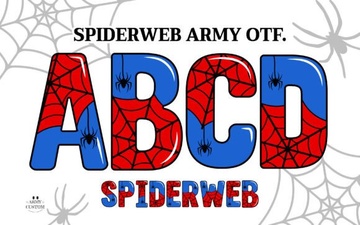 Spiderweb Army Font: Modern Design Applications
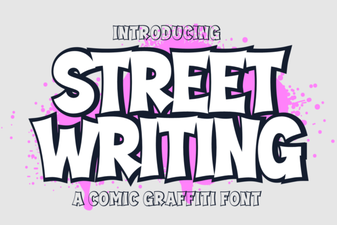 Urban Street Writing Fonts for Creative Projects
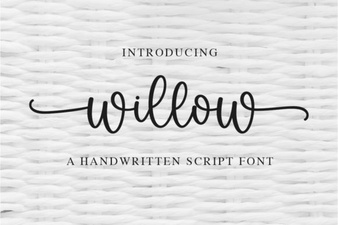 Willow Font: Design and Download Guide
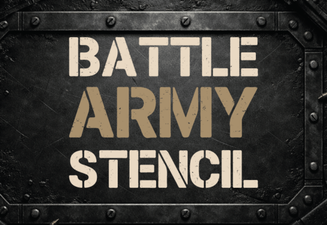 Battle Army Fonts: Design Assets & Creative Stencil Ideas
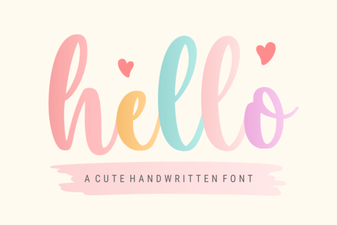 Hello Fonts: Design Resources & Project Ideas
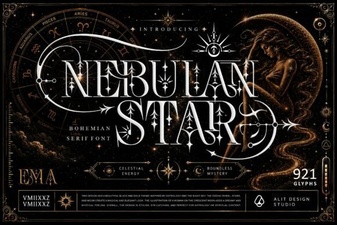 Nebulan Star: a Font for Creative Design Projects